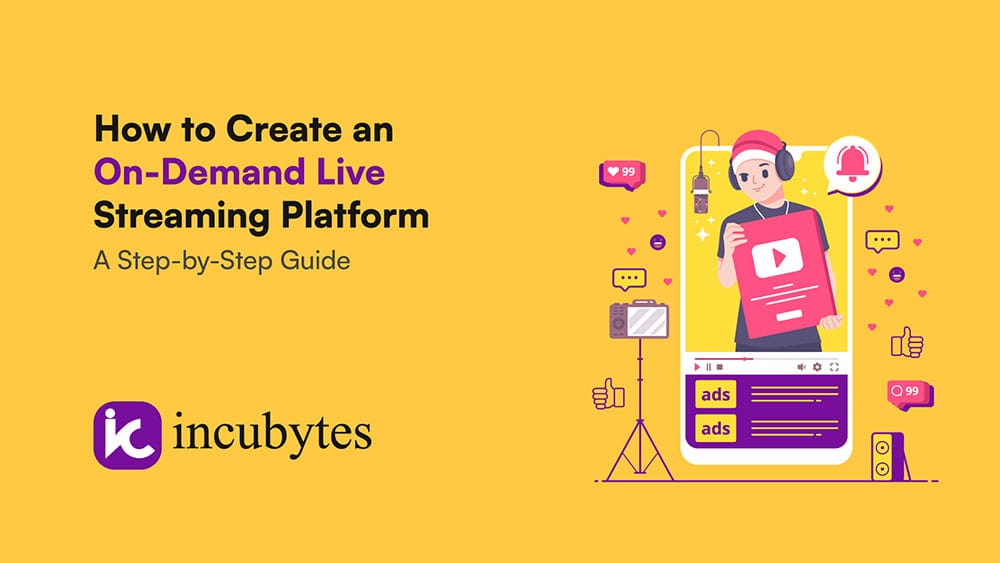
In an age where video content is king, on-demand live streaming platforms have become an essential tool for businesses looking to engage audiences and create immersive experiences. Whether you’re in e-commerce, education, or entertainment, creating a live streaming platform can take your brand to the next level. But how exactly do you go about building one? Here’s a step-by-step guide to help you create your own on-demand live streaming platform.
Step 1: Define Your Niche and Goals
Before you dive into development, you need to define the purpose of your live streaming platform. Who are you targeting, and what do you want to achieve?
Key Considerations:
- Target Audience: Are you targeting consumers, businesses, or a specific industry (like gaming, fashion, or education)?
- Type of Content: Will your platform host events like webinars, product launches, tutorials, concerts, or live shopping experiences?
- Revenue Model: Will you generate revenue through subscriptions, pay-per-view, advertisements, or partnerships?
Defining these elements will help shape the design and functionality of your platform.
Step 2: Choose the Right Technology Stack
To create a live streaming platform, you’ll need the right technology. The choice of technologies will influence your platform’s performance, scalability, and features.
Key Components:
- Video Streaming Protocols: Use protocols like RTMP (Real-Time Messaging Protocol) for live video streaming and HLS (HTTP Live Streaming) for adaptive bitrate streaming.
- Content Delivery Network (CDN): A CDN ensures smooth delivery of your live streams to users by distributing content across servers worldwide. Providers like AWS CloudFront, Akamai, or Cloudflare can help.
- Video Player: Build or integrate a customizable video player that supports features like fullscreen, captions, and interactivity (polls, quizzes, live chats).
- Live Chat and Interaction Tools: Incorporate real-time messaging and live chat so viewers can interact with hosts and other viewers. You can also include interactive features such as Q&A, live voting, and gamification elements to boost engagement.
Step 3: Develop User Registration and Profiles
User management is a critical part of any live streaming platform. You’ll need to offer an intuitive sign-up process, secure login options, and personalized profiles.
Features to Include:
- User Authentication: Provide options like email sign-up, social media login, or single sign-on (SSO) for a smoother experience.
- User Profiles: Allow users to create profiles with basic information, preferences, and viewing history.
- Subscription Management: If you offer paid content, integrate secure payment systems to manage subscriptions or pay-per-view.
Step 4: Design the User Interface (UI)
A clean, intuitive interface is essential for keeping your users engaged. The UI should be easy to navigate, even for first-time visitors.
Key Elements:
- Home Page: The landing page should showcase live and upcoming streams, allowing users to browse and join events effortlessly.
- Event Pages: Each live stream should have a dedicated page with a countdown, description, and key details about the event.
- Player Interface: The video player should be sleek and responsive, with controls like volume, chat, and sharing options easily accessible.
Step 5: Enable Monetization Options
Monetizing your platform is essential to generating revenue. Depending on your niche, you can choose from different monetization strategies.
Popular Monetization Strategies:
- Subscriptions: Offer users access to premium content or exclusive live events with a subscription model (e.g., monthly or yearly).
- Pay-per-View (PPV): Charge users for access to individual live streams or events.
- Ad-Supported: Display advertisements during live streams or within video players.
- Virtual Goods: Allow viewers to purchase virtual gifts for streamers or content creators.
- Affiliate Links: For e-commerce businesses, you can integrate affiliate marketing links directly into live shopping streams.
Step 6: Implement Content Moderation Tools
Moderation is crucial for maintaining a safe and positive environment on your platform. You need to ensure that your users are following community guidelines.
Moderation Features:
- Real-Time Monitoring: Use AI-based tools to monitor live chats and comments for inappropriate language or behavior.
- Reporting System: Allow users to report abuse, inappropriate content, or offensive behavior easily.
- User Bans & Restrictions: Implement functionality to temporarily ban or restrict users who violate platform rules.
Step 7: Test the Platform and Ensure Scalability
Before launching your platform, make sure to conduct extensive testing to ensure everything works seamlessly.
Testing Aspects:
- Load Testing: Ensure the platform can handle high traffic and scale as necessary during peak times or major events.
- Cross-Device Testing: Test the platform on various devices (smartphones, tablets, desktops) to ensure it’s responsive and user-friendly across all platforms.
- Bug Fixes: Conduct a thorough round of debugging to ensure smooth functionality.
Step 8: Launch and Promote Your Platform
Once the platform is live, it’s time to spread the word. A solid marketing strategy is essential for building an audience and driving traffic.
Marketing Ideas:
- Influencer Marketing: Partner with influencers or content creators to attract viewers to your platform.
- Social Media Promotion: Use social media channels to promote live streams, share event reminders, and engage with your community.
- Email Campaigns: Send personalized invitations to users, offering exclusive content or incentives to join live events.
Step 9: Provide Post-Stream Engagement and Analytics
Engagement shouldn’t stop after the stream ends. Use post-event analytics and follow-up campaigns to keep your audience coming back for more.
Post-Stream Features:
- On-Demand Video Library: Allow users to access previous streams or recorded content on demand.
- Viewer Feedback: Collect feedback from users to improve future live streams and platform features.
- Analytics: Use data analytics to track user behavior, viewership patterns, and engagement to optimize future content and marketing strategies.
Conclusion: Build Your Live Streaming Platform with Incubytes
Creating an on-demand live streaming platform is a complex but rewarding process. By following these steps, you can build a platform that offers seamless live streaming, interactive features, and personalized experiences for your users.
At Incubytes, we provide custom live shopping app development, including live commerce app development services, that help businesses create a real-time shopping app. With our expertise in interactive shopping app development and live selling app development, we can help you bring your live streaming vision to life, whether it’s for e-commerce, events, or entertainment. Let us help you build a live streaming platform that engages and converts.Ready to get started? Contact Incubytes to build your own live stream shopping app or video shopping platform today!